When I have no interesting problem to work on, I just create the problem. How? Just find a part in your daily workflow which is a pain in the ass and somehow make it efficient and fun. The goal is simple, while I have nothing to work on, I’ll just build the infrastructure for future.
I won’t talk much about the OS, there’s only one, Linux. The distro is fedora, which was a reasonable enough choice back then. Other than some urges to move fully to nix, I’m quite satisfied with fedora.
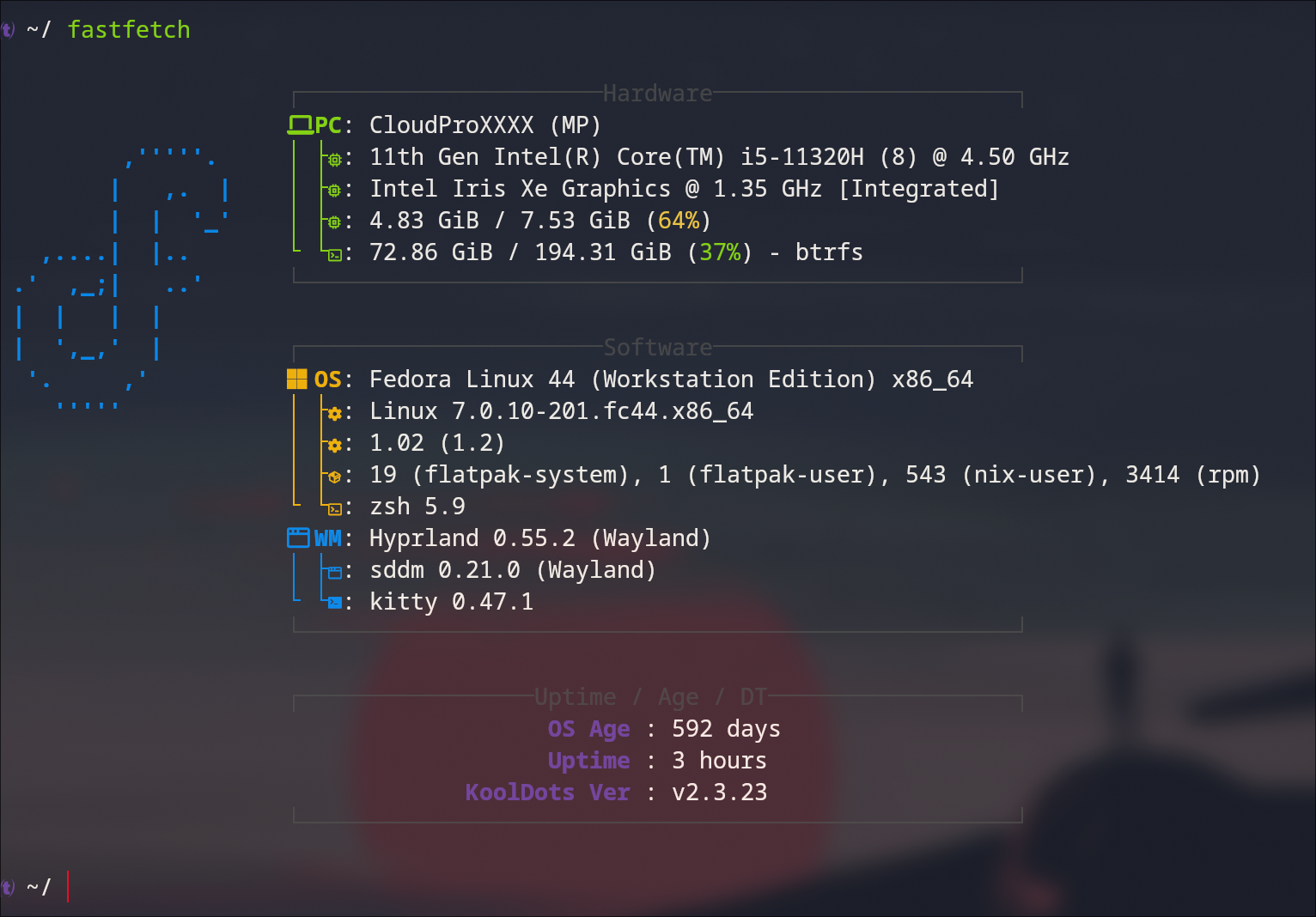
Desktop
Hyprland , The Wayland Compositor she tells you not to worry about, is so good that I find it unbearable to use the desktops for masses like Windows or MacOS now. Instead of having a billion windows stacked on top of each other, it makes sense to prefer something that offers dynamic tiling, is much smoother, and can be configured down to the pixel
The configuring power is so great that it’s rare to see two hyprland desktops looking alike. I didn’t start from scratch. The JaKooLit dots were a great start. Which I still use as base in my dotfiles.
I can spend the whole day here so let’s move on to the dev specific parts.
The Editor - Neovim
Barebones nvim does not look like something which can replace a full IDE but it does the job of being an Incredible base to limitless plugins and configurations.
I use LazyVim, and It’s an amazing experience out of the box. I can brag about it whole day but here’s specifically why it’s amazing for me over the IDEs.
- Keyboard focused: No matter how many shortcuts you learn, no IDE can come close to LazyVim when it comes to operating from keyboard only.
- Plugins: just googling the need will get you to a great plugin you never knew existed.
- Fast: I remember when I had wait almost a second for VSCode to open. And why do I need a separate app when I already have a terminal. look how fast it can open even in my shitty machine.
Some nvim plugins which I use regularly:
Apps and Packages
Kitty - The Terminal
Kitty is exactly what I want in terminal. It’s flawless and full of features.
The cursor_trail 1 feature is my personal favorite.
Although, my uses are very simple when compared to the lengths Kitty can go.
See Kovid Goyal’s overview for example.
Zen - The Browser
Open source, firefox-based while also looking modern, Zen is the browser I use on daily basis.
FZF
I use fzf with multiple configurations everyday. For example…
-
type
ffto fuzzily search and directly open file in nvim:alias ff='nvim $(fzf --preview="bat --color=always {}")' -
use fzf as a history finder in kitty
source <(fzf --zsh)
HISTFILE=~/.zsh_history
HISTSIZE=10000
SAVEHIST=10000
setopt appendhistory
EZA
ls but better, thanks to JaKooLit, I use eza everyday with or without knowing it.
alias ls='eza -a --icons'
alias ll='eza -al --icons'
alias lt='eza -a --tree --level=1 --icons'
Yazi
cd and ls are great but sometimes, when I miss the file manager, I use yazi.
Yes, File manager in the terminal. Just run y coz alias y='yazi' is already in the .zshrc.
Honorable Mentions
-
Nix & Home Manager: The idea is really great I just need to spend more time with it. I already have 543 nix-user packages somehow though.
-
The AI stack: Unlike every other OSS, this one can not be a choice. AI is expensive, so my unemployed vote goes to anyone who’s giving free uses at this point of time.
- Google Antigravity: shout out to Students’ free AI pro.
- Opencode: definitely one of my favorites.
- Claude Code: shout out of Amazon Bedrock.
Can’t even talk about the models as the development is moving so fast. GPT 5.5 is soo 2 days old now. And opus 4.8 is 5 minutes old already?? It has become unusable then. I’ll wait for 6.9.